
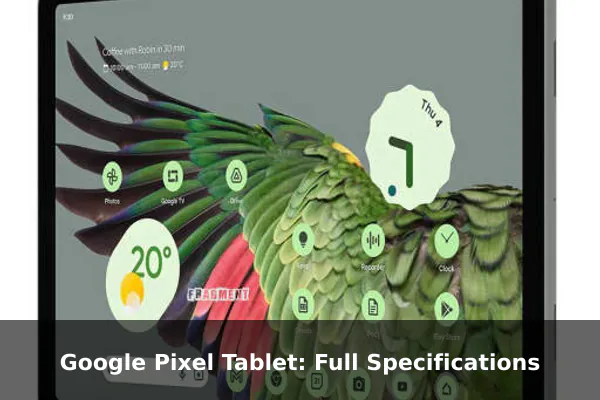
The Google Pixel Tablet is a large-screen Android device built around Google’s Tensor G2 platform, a 10.95-inch IPS LCD display, and a clean Pixel software experience. Unlike many mobile devices in a specs catalog, this model is Wi-Fi focused and does not include cellular connectivity or a SIM slot.
This article looks at the Pixel Tablet from a practical specifications angle: how its display, performance, cameras, battery, audio, software support, and connectivity choices shape its value as a tablet for home use, media, browsing, video calls, and productivity.
Full Specifications
Network
| Technology: | No cellular connectivity |
| 2G bands: | N/A |
| 3G bands: | N/A |
| 4G bands: | N/A |
| GPRS: | No |
| EDGE: | No |
Launch
| Announced: | 2023, May 10 |
| Status: | Available. Released 2023, June 20 |
Body
| Dimensions: | 258 x 169 x 8.1 mm (10.16 x 6.65 x 0.32 in) |
| Weight: | 493 g (1.09 lb) |
| Build: | Glass front, aluminum frame, aluminum back |
| SIM: | No |
| Stylus support |
Display
| Type: | IPS LCD |
| Size: | 10.95 inches, 347.7 cm2 (~79.7% screen-to-body ratio) |
| Resolution: | 1600 x 2560 pixels, 16:10 ratio (~276 ppi density) |
Platform
| OS: | Android 13, upgradable to Android 15 |
| Chipset: | Google Tensor G2 (5 nm) |
| CPU: | Octa-core (2×2.85 GHz Cortex-X1 & 2×2.35 GHz Cortex-A78 & 4×1.80 GHz Cortex-A55) |
| GPU: | Mali-G710 MP7 |
Memory
| Card slot: | No |
| Internal: | 128GB 8GB RAM, 256GB 8GB RAM |
| UFS 3.1 |
Main Camera
| Single: | 8 MP, f/2.0, 24mm (wide), 1/4.0″, 1.12µm |
| Features: | HDR, panorama |
| Video: | 1080p@30fps |
Selfie camera
| Single: | 8 MP, f/2.0, 24mm (wide), 1/4.0″, 1.12µm |
| Features: | HDR, panorama |
| Video: | 1080p@30fps |
Sound
| Loudspeaker: | Yes, with stereo speakers (4 speakers) |
| 3.5mm jack: | No |
Comms
| WLAN: | Wi-Fi 802.11 a/b/g/n/ac/6, dual-band |
| Bluetooth: | 5.2, A2DP, LE |
| Positioning: | No |
| NFC: | No |
| Radio: | No |
| USB: | USB Type-C 3.2 (Gen 1), magnetic connector |
Features
| Sensors: | Accelerometer, gyro, compass, proximity (accessories only) |
| Ultra Wideband (UWB) support Circle to Search |
Battery
| Type: | Li-Po 7020 mAh (27 Wh) |
| Charging: | 15W wired |
Misc
| Colors: | Porcelain, Hazel, Rose |
| Models: | GA06156-EU, GA06157-EU, GA06158-EU |
| Price: | About 670 EUR |
Price and Availability
The Google Pixel Tablet offers a compelling combination of features and performance. While the base price is around €670, the actual cost may vary depending on your location and retailer. Below, you’ll find the approximate price of the Google Pixel Tablet converted into various currencies. Please note that these are estimates based on recent exchange rates as of July 26, 2026 and may not reflect the exact price you’ll find at a retailer.
- United States: $762
- Japan: ¥124,867
- United Kingdom: £572
- Australia: A$1,092
- Canada: C$1,074
- Taiwan: NT$24,658
- Denmark: kr4.999
- Saudi Arabia: ﷼2,859
- South Korea: ₩1,116,311
- Germany: €670
- Brazil: R$3.871
- Vietnam: ₫20.031.807
- Kenya: KSh 98,842
- India: ₹73,613
- Indonesia: Rp 13.652.476
- Nigeria: ₦1,037,966
- Pakistan: ₨211,768
- Philippines: ₱47,135
- Bangladesh: ৳৯৪,০৮৫
Why Should You Buy the Google Pixel Tablet?
The Google Pixel Tablet is best understood as a Pixel ecosystem tablet rather than a phone replacement. Its most important strengths are the Tensor G2 chipset, 8GB of RAM, a high-resolution 16:10 display, four-speaker stereo audio, and Google’s first-party Android software experience. For users who already like Pixel phones, Google apps, Chromecast-style media habits, and Assistant-connected home routines, the Pixel Tablet offers a familiar interface on a much larger screen.
The value case depends heavily on what you expect from a tablet. It is not built for mobile data, outdoor navigation, or pocketable communication, because it has no cellular modem, no SIM support, and no positioning hardware. Instead, it makes more sense as a shared home screen, streaming device, browsing tablet, note-taking surface with stylus support, or video-call machine. That gives it a distinct role compared with many Android tablets that try to cover travel, entertainment, and laptop-style workflows at the same time.
Design and Build Quality
Google gives the Pixel Tablet a simple premium construction, using a glass front with an aluminum frame and aluminum back. At 258 x 169 x 8.1 mm and 493 g, it sits in the large tablet category without becoming unusually thick. The size is appropriate for reading, web browsing, split-screen use, recipes, streaming, and desk-based work, but it is less comfortable for one-handed use than a compact tablet.
The design also points clearly toward indoor use. The absence of cellular connectivity and the inclusion of a magnetic connector suggest a device made to move between handheld tablet use and docked home use. Colors such as Porcelain, Hazel, and Rose keep the styling softer than many productivity tablets, which may matter if the device will sit visibly in a kitchen, living room, or shared workspace.
Display Experience
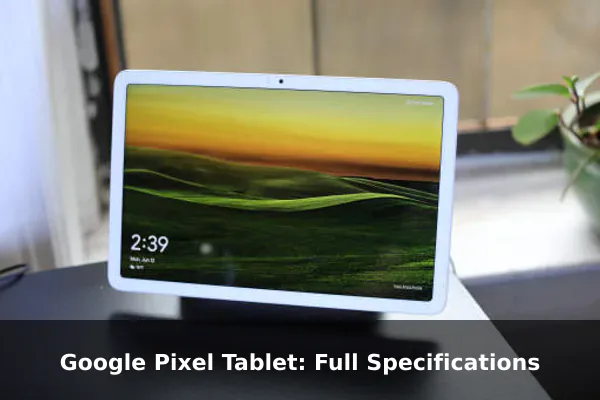
The 10.95-inch IPS LCD display is one of the Pixel Tablet’s most important specifications. Its 1600 x 2560 resolution, 16:10 aspect ratio, and roughly 276 ppi density make it sharp enough for reading text, viewing documents, streaming video, and browsing image-heavy pages. The 16:10 format is a practical middle ground: wider than a traditional document-first tablet, but taller than many media-focused widescreen panels.
Because the panel is IPS LCD rather than OLED, buyers should expect a display tuned more for balanced everyday visibility than for perfect blacks or extreme contrast. That is not automatically a drawback for a tablet, especially for reading, web use, and productivity, where LCD panels can still look clean and consistent. However, users who prioritize HDR movie watching or OLED-level contrast should compare it carefully with premium tablets before buying.
Performance and Storage
The Pixel Tablet uses Google’s Tensor G2 chipset, the same generation of Google silicon associated with the Pixel 7 family. Its octa-core CPU combines Cortex-X1, Cortex-A78, and Cortex-A55 cores, while graphics are handled by the Mali-G710 MP7. In practical terms, this positions the tablet as a strong everyday performer for Android apps, multitasking, video streaming, cloud services, photo browsing, smart home controls, and casual games.
Both storage options include 8GB of RAM, with either 128GB or 256GB of internal storage. The use of UFS 3.1 is a positive detail because storage speed affects app loading, file handling, and general responsiveness. The trade-off is that there is no memory card slot, so buyers should choose the storage tier carefully. Anyone planning to keep many offline videos, large games, downloaded documents, or creative files should look more seriously at the 256GB version.
Camera Setup
The Pixel Tablet uses an 8 MP rear camera and an 8 MP front camera, both with f/2.0 wide lenses and support for HDR, panorama, and 1080p video at 30fps. These are modest camera specifications, but that is typical for a tablet focused on home and productivity use. The rear camera is suitable for scanning documents, quick reference photos, and basic snapshots rather than replacing a Pixel phone camera.
The front camera is likely more important for most buyers. Its matching 8 MP sensor and 1080p video recording make it relevant for video calls, online classes, family chats, and meetings. The key point is expectation: the Pixel Tablet is not a camera-first device. Its cameras are functional tools that support tablet workflows, while serious photography remains better handled by a modern smartphone.
Battery and Charging
The 7020 mAh battery, rated at 27 Wh, gives the Pixel Tablet a capacity that fits its screen size and home-tablet role. Battery life will depend on brightness, streaming, games, background sync, and speaker use, so cautious wording is important when comparing it with tablets from other brands. The hardware suggests it should be comfortable for typical daily sessions, but heavy gaming or long high-brightness streaming sessions will drain it faster.
Charging is rated at 15W wired, which is serviceable but not especially fast by modern Android standards. For a tablet that may spend time docked or used around the house, slower charging is less of a problem than it would be on a travel phone. Still, users who expect rapid top-ups before leaving home should factor this limitation into their buying decision.
Software and Pixel Features
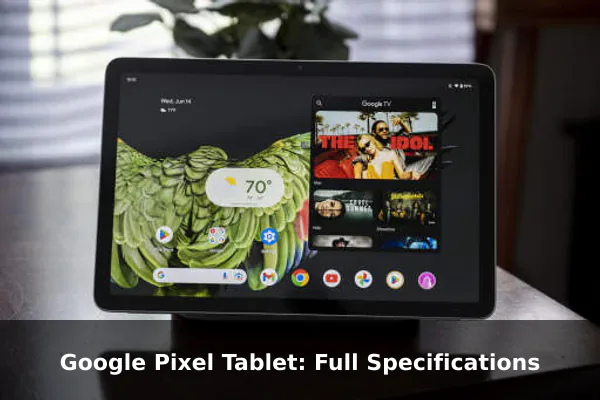
The Pixel Tablet launched with Android 13 and is listed as upgradable to Android 15 in the supplied specifications. That software path is important because tablets benefit from improved multitasking, app scaling, privacy controls, and Google service integration over time. Official Google support documentation is also a useful reference point for update expectations, because software support can affect long-term value more than small hardware differences.
Google-specific features help separate this tablet from generic Android models. Circle to Search support adds a modern search workflow that fits a large screen, while the Tensor platform supports Google’s AI and assistant-oriented features. The overall appeal is strongest for users who want a tablet that feels tightly integrated with Google accounts, Photos, Drive, YouTube, Meet, Chrome, and smart home routines.
Connectivity and Audio
The Pixel Tablet is a Wi-Fi-only device with Wi-Fi 802.11 a/b/g/n/ac/6 and dual-band support. Bluetooth 5.2 with A2DP and LE covers wireless headphones, speakers, keyboards, mice, and accessories. USB Type-C 3.2 Gen 1 is included, along with a magnetic connector, giving the device more flexibility than a basic charging-only tablet port.
The limitations are just as important as the inclusions. There is no NFC, no radio, no positioning, no 3.5mm headphone jack, and no cellular connectivity. That means the Pixel Tablet is not ideal for users who want maps, mobile payments, cellular fallback, or wired audio without an adapter. On the positive side, the four-speaker stereo setup should make it more convincing for video, music, calls, and shared-room listening than tablets with simpler speaker systems.
Who Should Buy the Google Pixel Tablet?
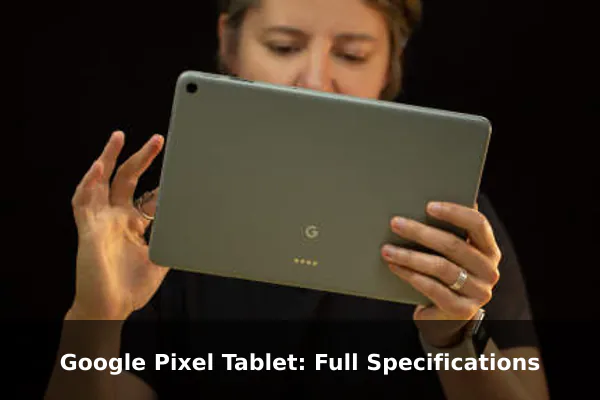
The Pixel Tablet is a good fit for buyers who want a clean Android tablet for home use, media, web browsing, Google apps, video calls, light productivity, smart home control, and shared family use. It is also appealing if you prefer first-party Google software over heavily customized Android tablet interfaces.
It is less suitable for users who need mobile data, GPS-style positioning, expandable storage, a headphone jack, or advanced tablet cameras. Buyers comparing it with iPad models, Samsung Galaxy Tab devices, or OnePlus tablets should focus on ecosystem preference, software update confidence, accessory needs, and whether Wi-Fi-only operation is enough.
Conclusion
The Google Pixel Tablet is a polished Android tablet with a sharp 10.95-inch display, Tensor G2 performance, 8GB of RAM, stereo speakers, stylus support, and a software experience centered on Google services. Its biggest compromises are the lack of cellular connectivity, GPS, NFC, expandable storage, and fast charging. Choose it if you want a Google-first home tablet with strong everyday usability; skip it if you need a travel-ready tablet with mobile connectivity.
References
- Google Store – Pixel Tablet Technical Specs – Official manufacturer specs for display, dimensions, battery, memory, processor, cameras, ports, audio, connectivity, colors, materials, warranty, and box contents.
- Google Pixel Tablet Help – Technical Specifications – Official Google support documentation with detailed Pixel Tablet and Charging Speaker Dock specifications and footnotes for measurements, battery testing, storage, and updates.
- Google Pixel Tablet Help – Software Updates – Official source for Android/Pixel update policy and guaranteed update timeframe for Pixel Tablet.
- Google Pixel Tablet Safety, Warranty and Regulatory Guide – Official regulatory, safety, warranty, and model-number reference for Pixel Tablet and Charging Speaker Dock.
- Federal Communications Commission Equipment Authorization System (fcc.gov) – Primary U.S. regulator source for wireless certification filings; search FCC ID A4RGTU8P or model GTU8P to verify radio compliance details such as Wi-Fi, Bluetooth, UWB, and SAR filings.
